

10 Landing Page Mistakes That Hurt Your Conversion Rate
Mistakes Most Beginners Never Notice

Introduction. Landing Page Mistakes
You can spend all day chasing clicks, polishing ads, tweaking social posts, and feeling wildly productive. However, if the page people land on feels confusing, slow, or sketchy, all that effort can vanish faster than a donut in a break room. That is why landing page mistakes matter so much. They do not just make a page look a bit messy. Instead, they quietly chip away at trust, attention, and action. Landing page optimization is really about removing those little points of friction before they scare people off.
For beginner marketers especially, this stuff is easy to overlook. After all, traffic feels exciting and landing page cleanup feels about as glamorous as folding laundry. Still, the landing page conversion rate often rises or falls on basic things like clarity, relevance, visual hierarchy, form effort, and mobile usability. So if you want better results and a smoother path toward Internet Profit Success, fixing these issues is one of the smartest moves you can make.
Why Landing Page Mistakes Matter More Than Most People Think
A landing page has one job: guide a visitor toward one clear next step. That could be joining your email list, requesting a demo, downloading a guide, or signing up for something useful. When the page does that well, people feel oriented.
On the other hand, when the message is muddy, the design is chaotic, or the form feels like a tax return, the page starts losing people for reasons that have nothing to do with the offer itself.
Google’s guidance emphasizes clear calls to action and strong message alignment from the ad to the page for exactly that reason.
In other words, great traffic cannot save a weak page forever. You might get a few conversions by sheer luck, sure, but luck is a terrible long-term strategy. Landing page optimization works best when you treat every element as part of one conversation with the visitor. If your message still feels muddy, run it through this content clarity checklist before you start redesigning everything.
The headline sets the promise, the design guides the eye, the proof lowers anxiety, and the call to action tells the person what to do next. Once those pieces line up, your landing page conversion rate usually has a much better shot.
Landing Page Mistakes
Start With a Muddy Headline
The headline is usually the first thing a visitor sees, which means it has about two jobs and roughly zero patience from the reader. First, it needs to confirm they are in the right place.
Second, it needs to make the value obvious. If the headline says something vague like “The Future of Growth Starts Here,” your visitor may stare at it for a second, blink twice, and leave.
Meanwhile, a clear headline that names the outcome makes the next step feel easier and safer.
Messaging consistency matters here too, because the page should follow through on whatever the visitor clicked to reach it.
A better headline usually focuses on benefit before cleverness. For example, “Learn How to Build Your First Simple Funnel” beats “A New Way to Think About Online Growth” for a beginner audience because it is specific, practical, and easy to understand. Likewise, a subheadline can do the heavy lifting your main headline does not have room for.
Together, they should answer the visitor’s silent question, which is basically, “Cool, but what do I get?” If that answer comes fast, the page feels useful. If not, the bounce button starts looking awfully tempting.
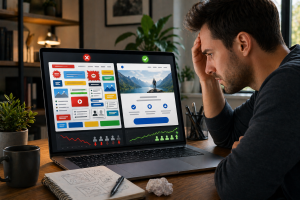
Landing Page Mistakes
Get Worse With Too Many Calls to Action
One of the classic landing page mistakes is asking visitors to do five things at once.
Join the list.
Watch the video.
Read the blog.
Follow on social.
Book a call.
Check out the pricing.
Pet the llama.
Okay, maybe not the last one, but you get the idea. Too many choices create friction because they force the visitor to decide what matters most.
A landing page works better when it reduces that mental load and makes the next action feel obvious. Google specifically recommends having a clear call to action placed front and center.
Therefore, pick one goal and let the whole page support it.
Once you narrow the goal, these call to action best practices can help you tighten the button copy and make the next step feel obvious. If your main goal is email signups, remove sidebar distractions, trim extra links, and make the button language crystal clear.
Instead of a sleepy button like “Submit,” try something more specific and outcome-based, such as “Get the Free Guide” or “Start the Demo.”
Clear buttons help people understand what happens next, and understanding reduces hesitation.
As a bonus, you also make the page easier to test because one page goal gives you cleaner data.

Landing Page Mistakes
Multiply When Message Match Breaks
Imagine clicking an ad that promises a free checklist for beginners, then landing on a page that talks mostly about premium consulting. That disconnect feels weird immediately. Even if the page is technically well designed, the visitor starts wondering whether they clicked the wrong thing, whether the offer changed, or whether someone is pulling a fast one.
Google advises keeping the message consistent from ad to landing page so people get what they expected when they clicked. That tiny trust moment matters more than many marketers realize.
Because of that, your headline, subheadline, visuals, and button copy should all echo the promise that brought the visitor there. If your social post says “Download a simple traffic plan,” then the landing page should sound like the natural next step, not like a completely different universe.
This is one of those landing page optimization tips that feels small but can make the page feel dramatically smoother. Consistency lowers confusion, and less confusion usually means more action. Nobody likes a bait-and-switch, even when it is accidental.
Landing Page Mistakes
Hide Inside Slow Load Times
Some landing page mistakes are easy to spot, like ugly headlines or giant neon buttons that scream for attention like an overcaffeinated game show host. Others are sneakier. Page speed is one of them.
A slow page can kill momentum before the visitor even reads your first sentence.
Google has noted that slow mobile pages are a serious issue, and it has highlighted that 53 percent of mobile visits are abandoned if a page takes longer than three seconds to load.
In plain English, slow pages make people bail.
Fortunately, speed problems often come from fixable things.
Huge images, too many scripts, clunky videos above the fold, and bloated plugins can all drag a page down.
So compress images, cut unnecessary extras, and keep the page lean.
If you absolutely need video, consider placing it lower on the page or using a thumbnail instead of autoplay.
Fast pages feel more trustworthy and less annoying, which is a very underrated combo. Besides, nobody wakes up hoping to spend their morning waiting for a loading spinner to complete its little dramatic performance.

Landing Page Mistakes
Love Cluttered Design
Clutter is basically the visual version of someone talking too much at a party.
The important point gets buried under noise.
According to usability guidance, visual hierarchy helps guide the eye to the most important elements on the page.
That means layout, contrast, scale, grouping, and spacing should all help visitors notice the headline, understand the offer, and find the call to action without hunting for it like it is hidden treasure.
A clean page is not boring. It is merciful.
Meanwhile, a cluttered page makes everything compete with everything else. The same thing happens with copy too, which is why these content creation mistakes that quietly kill trust are worth fixing before you chase more traffic.
Too many colors, too many images, too much copy, and too many random sections can overwhelm people fast.
In practice, a simple structure often works better than a page trying to prove it graduated from design circus school.
Keep the hero section focused.
Use supporting visuals only when they reinforce the promise.
Remove extra navigation when possible.
White space is not wasted space either.
It gives the message room to breathe, which helps the visitor think instead of panic-scroll.
Landing Page Mistakes
Get Expensive Without a Clear Value Proposition
A lot of pages explain what the offer is but not why anybody should care. The same thing happens with copy too, which is why these content creation mistakes that quietly kill trust are worth fixing before you chase more traffic.
That is a problem.
A value proposition tells the visitor how the offer helps them, what problem it solves, or what result it moves them toward.
Without that, your page is like a movie trailer that never reveals the plot.
Sure, there is motion.
Sure, there are sounds.
Yet nobody knows why they should stay.
Pages that emphasize value clearly are generally easier for visitors to understand and act on.
For example, saying “Includes 12 training modules” is weaker than saying “Learn the beginner-friendly steps to turn traffic into leads without getting buried in tech headaches.”
The second version translates features into outcomes.
That is what visitors care about most.
They want to know what changes for them after they say yes.
So talk less about the container and more about the benefit inside it.
When the value is obvious, hesitation drops.
When it is not, people wander off to compare options, check email, or stare into the fridge for no good reason.
Landing Page Mistakes
Sneak Into Long, Tiring Forms
Forms are one of the biggest friction points on many pages, especially when marketers get a little too curious and ask for everything short of a childhood nickname and blood type.
Research from Baymard found that users abandon because of checkout complexity, and that the number of form fields matters more than the number of steps.
Nielsen Norman Group likewise recommends reducing user effort in forms through elimination, automation, and simplification.
In short, shorter and simpler usually wins.
That means you should ask only for what you truly need right now. If your main goal is lead capture, this post on how to build an email list faster pairs nicely with a simple low-friction signup form.
If an email address is enough, do not ask for job title, company size, favorite breakfast cereal, and the name of their first pet.
You can always gather more details later.
In addition, label fields clearly, mark required fields consistently, and make the form feel easy to finish.
Sometimes even combining first and last name into one field reduces friction.
When the form feels painless, people are more likely to complete it.
When it feels like paperwork, they suddenly remember they need to reorganize a drawer.

Landing Page Mistakes
Also Show Up in Bad Form Error Handling
Even a short form can trip people up if the error messages are confusing.
This is one of those landing page mistakes that often slips by during setup because the page owner already knows how the form works.
Real visitors do not.
They mistype emails, miss required fields, and sometimes wonder why a phone number field wants a certain format but refuses to explain itself.
Nielsen Norman Group recommends helping users recover from errors by clearly identifying problems and making correction easy.
That advice saves conversions too, not just patience.
So keep your form feedback friendly and specific. Instead of a vague red box saying “There was an error,” show the exact field and explain what needs fixing.
Place the message near the field, preserve the information they already entered, and avoid making them start over.
Tiny improvements like that can keep a nearly-converted visitor from giving up at the finish line.
Nothing tanks goodwill faster than a form that says “Nope” and refuses to explain why.
That is not a user journey.
That is a mini betrayal.
Landing Page Mistakes
Need Trust Signals to Calm Skeptical Visitors
People do not land on a page ready to believe every promise they see.
That is exactly why learning how to build trust with your audience matters so much before you ask for the click.
They bring caution with them, especially if they are unfamiliar with your brand.
That is why trust signals matter.
Reviews, testimonials, recognizable logos, security indicators, and clear reassurance copy can all reduce hesitation.
Industry guidance commonly points to social proof and trust elements as ways to build credibility and help visitors feel more comfortable moving forward.
Trustworthy design also depends on quality, clarity, and honest presentation, not just shiny badges tossed around like confetti.
Still, not all trust signals are created equal.
A vague testimonial like “Amazing product!!!” is about as convincing as a mystery casserole.
On the other hand, a short quote that names a real result or specific benefit feels much stronger.
Likewise, placing proof near the call to action often works better than hiding it at the bottom where only committed treasure hunters will ever find it.
If your page asks for personal information, simple privacy reassurance can help too.
A little confidence goes a long way when visitors are still deciding whether to take the next step.

Landing Page Mistakes
Show Up on Mobile First
Many page owners still design with a nice big desktop screen in mind and then sort of hope the mobile experience will magically sort itself out.
Sadly, hope is not a strategy, and mobile visitors are not especially forgiving.
Google has emphasized both mobile page speed and clear calls to action, and modern landing page guidance repeatedly treats cross-device usability as essential, not optional.
If the page is hard to read, hard to tap, or slow on a phone, your landing page conversion rate can suffer in a hurry.
As a result, test the page on an actual phone, not just a desktop preview.
Make sure the headline is readable without zooming, buttons are easy to tap, forms are short, and important content appears early.
Also check that spacing feels comfortable rather than cramped.
Even a strong offer can stumble if the mobile experience feels fiddly and frustrating.
Think of mobile optimization like making your front door easy to open.
If people have to wrestle with it for thirty seconds, some will walk away no matter how nice the house is inside.
Simple Landing Page Optimization Tips
That Make an Immediate Difference
Now for the good news. Not every fix requires a giant redesign or a week-long existential crisis over button colors.
Some landing page optimization tips are wonderfully simple.
Start by tightening the headline so the benefit is obvious.
Next, make sure one main call to action stands out visually and verbally.
Then remove distractions that pull attention away from that action, especially top navigation on pages built for conversion.
HubSpot’s landing page guidance specifically highlights less clutter, clear value, limited form asks, and proof elements as practical wins.
After that, audit the page like a slightly grumpy first-time visitor.
Can you tell in five seconds what the page offers, who it is for, and what to do next?
If not, keep trimming and clarifying.
Add one supporting image if it genuinely helps.
Move proof closer to the form.
Simplify the button copy.
In many cases, these basic cleanup steps improve the experience more than fancy tricks do.
Landing page optimization is often less about adding more stuff and more about removing whatever keeps the right visitor from saying yes.
More Landing Page Optimization Tips
for SEO and Readability
Because this is a blog-friendly world and search matters too, your page should also reflect basic SEO best practices.
That means using clear page language that matches search intent, keeping the headline relevant to the keyword theme, and making the copy easy for humans to skim.
A page that tries to sound clever at the expense of clarity can hurt both conversions and discoverability.
Keyword phrases like landing page mistakes, landing page optimization, and landing page conversion rate should appear naturally where they fit, not stuffed in like socks in an overpacked suitcase.
Readability matters just as much.
Break ideas into smaller chunks, use helpful subheads, and keep sentences moving with transitions so the reader does not feel stuck in a wall of text.
Chunking content helps people process and remember information better, which is one reason clean structure supports both UX and performance.
Even when your page is short, it should flow logically from promise to proof to action.
In other words, good SEO and good landing page optimization are not enemies.
When done right, they work like teammates.
A Landing Page Mistakes Makeover Example
Let’s say a beginner marketer creates a page to collect leads for a simple training guide.
The ad promises “A beginner-friendly plan to get more targeted traffic.”
However, the page headline says “Welcome to the Future of Online Results,” the button says “Submit,” the form asks for six fields, and the page includes a menu, a video, three side offers, and a giant block of text explaining the company history.
Technically, it is a landing page. Functionally, it is a yard sale.
Every major landing page mistake is on display.
Now imagine the cleanup.
The headline becomes “Get a Simple Beginner Traffic Plan You Can Follow This Week.”
The subheadline explains what is inside and who it helps.
The form asks only for an email address.
A short testimonial sits near the button.
The top navigation disappears.
The button changes to “Send Me the Plan.”
Suddenly the page feels coherent.
Nothing magical happened.
The offer did not change.
The visitor simply has less work to do and more reasons to trust the next step.
That is the power of practical landing page optimization tips in action.
Landing Page Mistakes
Shrink Fast When You Start Testing
One more truth worth saying out loud.
You do not have to guess your way through this.
Good testing beats strong opinions wearing fancy shoes.
Unbounce and HubSpot both emphasize systematic landing page testing rather than random changes based on hunches.
Split testing gives you a way to compare headlines, forms, proof elements, layouts, and calls to action so you can learn what actually improves performance with your audience instead of relying on vibes and caffeine.
At the same time, testing works best when you stay methodical.
Change one important variable at a time, define what success looks like, and give the page enough traffic to gather useful feedback.
Before you start measuring results, run the page through a quick content publishing checklist so you are not testing avoidable clarity problems.
Start with high-impact elements first, like the headline, CTA, form length, value proposition, and proof placement.
Those areas often influence the landing page conversion rate more than cosmetic tweaks.
Tiny changes can create meaningful lifts, which is why testing is not just for giant brands with giant budgets.
It is for anyone who wants fewer guesses and better pages.
Final Thoughts on Landing Page Mistakes
If there is one big takeaway here, it is this.
Most landing page mistakes are not dramatic.
They are usually small moments of friction stacked on top of each other.
A vague headline here, a cluttered section there, a slow load time, an overlong form, or a missing trust cue can all add up until the page feels harder than it should.
Luckily, the opposite is true too.
A series of small improvements can make the page feel clearer, faster, safer, and easier to act on.
So before you chase more traffic, take a good hard look at the page itself.
Tighten the promise.
Simplify the path.
Reduce the effort.
Add proof.
Test the big stuff first.
When you do that consistently, landing page optimization stops feeling mysterious and starts feeling manageable.
Better still, your landing page conversion rate gets a real chance to improve without you needing a total rebuild or a lucky rabbit’s foot.
And honestly, that is a much better plan than hoping visitors will decode a messy page out of pure kindness.
