
How to Create a Digital Product: 8 Steps for Beginners
Create a Digital Product That Sells
Creating your first digital product might feel like trying to bake a cake without a recipe, you know what you want, but you’re not quite sure how to get there. Don’t worry. You're not alone, and more importantly, you’re in the right place. In this guide, we’re going to break it all down into bite-sized pieces so you can go from idea to launch without losing your mind (or your laptop).
If you’re just getting started and even things like setting up a blog feel overwhelming, don’t worry, there’s a related guide on Start a Blog Without Tech Skills you can use to build confidence and audience before product creation.
Let’s walk through the full process of how to create a digital product from scratch. Plus, we’ll sprinkle in extra tips, examples, and a pinch of humor to keep things fun and flowing.
Why Create a Digital Product?
Digital products are the ultimate cheat code in today’s creator economy. No inventory, no shipping, and no warehouse filled with sad cardboard boxes. All you need is an idea and a little hustle. Whether you're creating templates, mini courses, eBooks, or swipe files, digital products let you help people while building Internet Profit Success.
They’re also scalable. You create it once, and it keeps working for you in the background while you marathon-watch old episodes of Parks and Rec.
But here’s the kicker. Most beginners overthink it. They wait for perfection, and perfection is the enemy of progress.
Instead, focus on a simple product that solves one specific problem. Let’s break it down step by step.
Step 1: Identify a Problem Worth Solving
This is where the magic starts. Your digital product has one job, solve a real problem.
Instead of sitting in a room trying to guess what your audience needs, go where they hang out. Facebook groups, Reddit threads, YouTube comments, these places are gold mines of complaints and questions.
For example, if your niche is newbie affiliate marketers, you might see people asking, "What should I post today?" Boom. That’s a problem you can solve.
To level up your insights and truly understand who your audience is and what they struggle with the most, check out Unlock Growth with These Powerful Audience Research Tips for simple techniques any beginner can apply.
Tips:
Make a list of the top 10 struggles beginners in your niche face.
Look for recurring patterns in the complaints.
Pick a problem you feel confident solving in a small, meaningful way.

Step 2: Choose a Simple Format
Remember, we’re not launching the next big Netflix docuseries. We’re making something small, useful, and doable.
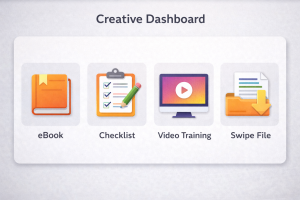
Your first digital product could be:
A checklist
Or a mini eBook (under 20 pages)
A swipe file (plug-and-play examples)
A short video training
Or a workbook or template pack
Ask yourself: What format helps people get results fast? That’s your winner.
Let’s say your audience struggles with writing headlines. A swipe file of 30 fill-in-the-blank headlines could be a total game changer.
Bonus Tip: Templates and checklists usually perform well because they save people time.
Step 3: Create a Clear Outcome and Promise
No one wants to buy "stuff." They want transformation. Even if it’s tiny, it matters.
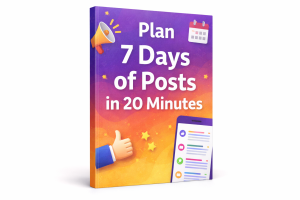
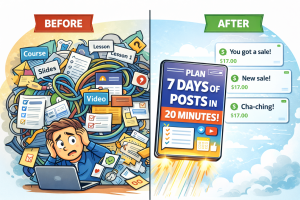
Make your product promise crystal clear. Example: "In 20 minutes, you’ll have your next 7 social media posts ready to go."
Build your entire product around that single promise. If it doesn’t help the user reach that result, cut it.
Think about:
What will they have after using your product?
How will they feel?
What can they now do that they couldn’t before?
Keep it focused and fluff-free.
Step 4: Outline and Build Your Product
Here’s where the rubber meets the road.
Don’t dive into Canva or Google Docs just yet. Start with a basic outline.
Ask:
What are the 3-5 key pieces of information or steps your product needs?
Does each part lead toward the outcome you promised?
Are you overwhelming them with too much?
For example, a "Beginner Funnel Checklist" might be broken into:
Pick a funnel goal
Choose a freebie
Build a landing page
Connect email follow-up
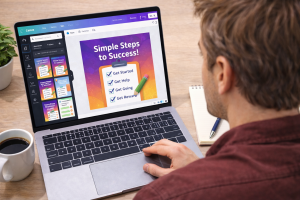
Once your outline is tight, THEN build it using tools you know. Keep the design simple. Use clean fonts, clear spacing, and visual cues like checkboxes or icons.
Pro Tip: Test your product on yourself first. Is it easy to use? Can you complete it quickly?
Step 5: Test With a Small Group
This part is often skipped, but it’s powerful.
Send your digital product to 3-5 trusted folks or beginners in your niche. Ask for raw, honest feedback.
Questions to ask:
Was anything confusing?
Did you get the result promised?
What would you improve?
Their feedback is priceless. Plus, you can ask for testimonials (more on that later).
This beta round doesn’t need to be perfect. It just needs to teach you something new.

Step 6: Create a Simple Landing Page
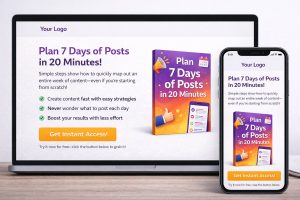
No need to hire a web designer or write a Shakespearean sales letter. You just need a clear, one-page site that explains:
What the product is
Who it’s for
What problem it solves
What they’ll be able to do after using it
A call to action to grab it now
Use free or low-cost tools like MailerLite, ConvertKit, or Systeme.io. Add a product mockup made in Canva. Throw in a testimonial if you’ve got one.
For help optimizing your landing pages so they convert even beginners into buyers, here’s a thorough breakdown in Master Landing Page Optimization that shows the exact elements high‑converting pages use.
Keep it short, punchy, and benefits-focused.
Example headline: "Plan a Week of Posts in 20 Minutes with This Plug-and-Post Template."
Step 7: Set a Beginner-Friendly Price
Pricing causes panic for a lot of creators. Don’t overthink it.
Here’s a guide:
Tiny templates, checklists, and swipe files: $7-$17
Mini courses or larger workbooks: $27-$47
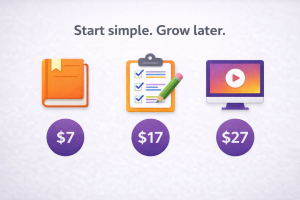
Keep it simple. The goal is momentum, not margin. You want to get real buyers through the door, build confidence, and validate your idea.
If you’re planning to grow your audience long‑term so future products sell even better, check out these Unlock 15 Lead Magnet Ideas That Convert to build your email list faster and more consistently.
You can always raise the price later as you add value.
Bonus Tip: Pricing in sevens (like $17 or $27) often converts better than even numbers.
Step 8: Promote With Organic Content First
Before you dream of paid ads, start where the traffic is free.
Use your social platforms to:
Share tips that relate to your product
Tease what's inside
Show behind-the-scenes clips of you building it
Share wins or results from your beta testers
Before pushing offers, make sure you’ve warmed your audience up with valuable pieces, this post on 12 Content Ideas to Warm Up Your Audience Before Selling has actionable prompts you can use today.
Instead of pitching, educate. Instead of spamming, tell stories.
For example: "I used this one template from my planner to plan 3 days of content in 15 minutes. Here’s how..."
Organic content builds trust and warms up your audience. And guess what? That trust turns into Internet Profit Success.
Need ideas for crafting social posts that actually get engagement and clicks? This post on Write Social Media Posts That Get Clicks walks through proven hooks and strategies you can use right away.
Bonus Sections to Boost Your Launch
Let’s expand the playbook with a few more power moves to help your digital product stand out.
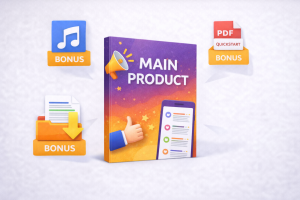
Build a Bonus Stack
Want to increase perceived value? Add a few simple bonuses.
Example bonus ideas:
A private audio lesson
A quick-start guide
A resource list or tech stack cheat sheet
Keep your bonuses related but easy to consume. Think of them as helpful sprinkles on top.
Create a Follow-Up Funnel
After someone buys your digital product, what happens next?
Set up a simple email sequence:
Thank them for the purchase
Offer a usage tip or mini win
Invite them to your community or newsletter
Upsell a related product or coaching session
This not only increases connection but also drives more Internet Profit Success long term.
Leverage Testimonials
Social proof can do the heavy lifting for you.
Grab quotes from your beta testers or first buyers. Ask for specifics:
What result did they get?
How fast?
What did they love?
Display these proudly on your landing page or social media. People trust people.
Keep Improving Over Time
Your first product won’t be perfect. That’s the point. It’s a starting line, not a final destination.
After launch:
Look at what questions buyers are still asking
Improve the product or add a bonus
Refine your messaging
Each update boosts your brand and your buyers' results.
Also, if you’re wondering what tools you should use to streamline product building, audience growth, and promo, this guide on Discover 14 Free Marketing Tools Every New Online Marketer Should Be Using Today gives a useful list of favorites that won’t break your budget.

Final Thoughts: Start Simple, Get Fancy Later
Don’t try to build the Taj Mahal of digital products on your first try. Focus on one small win. One clear problem. One fast result.
That’s the real secret to how to create a digital product that sells.
When you stack simple wins over time, you don’t just make sales, you build credibility, confidence, and long-term Internet Profit Success.
So what are you waiting for? Grab your idea, pick a format, and start building. The digital world is wide open and waiting for your brilliance.
Now go make some noise (and maybe some cookies while you're at it).
