
Website Optimization Tips for Beginners (Fix These 8 First)
Small Tweaks, Big Results. Beginner Optimization Fixes
Introduction: Why More Traffic Isn't Always the Answer
Think about this! When your funnels or pages aren’t getting the results you hoped for, it’s tempting to throw up your hands and scream, "I need MORE TRAFFIC!" But here’s the kicker, more traffic won’t fix a leaky funnel. It’s like pouring gallons of water into a bucket full of holes.
Pointless.
Before you reach for your wallet to pay for ads or obsess over complicated tools, there’s something else you need to do first. You’ve got to optimize what you’ve already built. That’s the fastest route to Internet Profit Success. And if you’re a beginner, don’t worry, this post is for you. Let’s dig into five hidden website optimization tips that most newbies skip, plus a few bonus nuggets to help you level up faster.
1. Optimize Page Load Speed and Mobile Performance
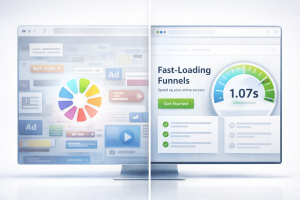
Your page load time is basically your first impression. And let’s face it, nobody likes waiting. In the age of high-speed everything, if your page takes more than 3 seconds to load, half your visitors are already gone.
When you track technical site performance alongside conversion behavior you get a real picture of what’s working and what’s not, think fast load times AND key metrics from Marketing Metrics for Beginners: 7 You Must Track Today.
This matters even more for mobile users. Ever tried to load a clunky page on your phone while standing in line for coffee? Not fun.
What slows your page down?
* Huge image files
* Too many scripts
* Cluttered design
* Cheap hosting
Instead of trying to be fancy, focus on being fast.
Simple Tips to Speed Things Up:
* Compress images using free tools
* Stick to lightweight themes or builders
* Minimize plugins
* Test your site with free tools like PageSpeed Insights
A faster site doesn’t just help user experience, it also keeps your bounce rates low and your conversion potential high. It’s a win-win.
2. Simplify Your Copy and Focus on Clarity
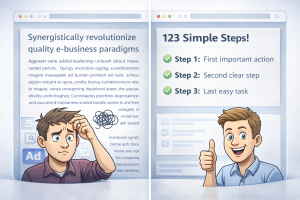
We get it. You want to sound smart, professional, persuasive. But if your copy confuses people, you’ve already lost the sale. Beginners often write like they’re trying to impress their high school English teacher. But clarity > cleverness.
If your headline doesn’t clearly communicate what you offer in 5 seconds, it needs work. People don’t have time to decode your message.
What to Fix:
* Swap jargon for plain words
* Break long blocks of text into short sentences
* Use bullet points sparingly and only when helpful
* Always lead with what the reader gets
Instead of saying: "Unlock your full potential with our dynamic, results-oriented optimization framework," just say: "Get a simple checklist that helps your page convert better."
Real-world example:
Old headline: "Build Your Entire Marketing System From Scratch"
New headline: "Get a 7-Step Funnel Checklist Made for Beginners"
See the difference? It’s not just shorter. It’s clearer, easier to understand, and way more inviting.
For more writing clarity and beginner‑friendly phrasing tweaks, check out Simplify Marketing for Beginners: 14 Tips That Get Faster Results where similar principles are applied to marketing messaging.
3. Make Your Call to Action Clear, Strong, and Obvious
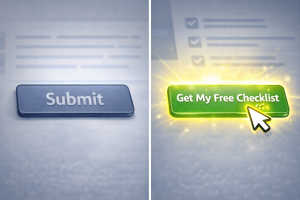
Your call to action (CTA) is the moment of truth. It’s the point where people either act, or bail. But most beginners mess this part up by being too vague or hiding the CTA where nobody sees it.
If your button says "Submit" or "Learn More," you’re missing out. People need to know what they’re getting and why they should click right now.
Instead of "Submit," try:
* "Get My Free Guide"
* "Download the Checklist"
* "Start the Plan Now"
And make sure your CTA shows up in at least two places:
* Right near the top of the page (above the fold)
* After your benefits section
If you want button, link, and copy templates that click with readers, dive into CTA Templates That Boost Click‑Throughs Every Beginner Needs, you’ll find ready‑to‑use wording that converts.
Also, make it easy. If your form has 6 fields, ditch the extras. Keep it lean and friction-free.
4. Add Social Proof or Trust Signals (Even If You're New)
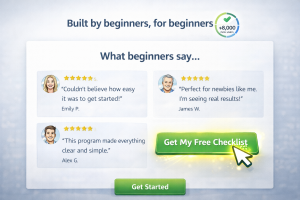
People trust people. Especially online. That’s why trust signals are huge when it comes to website optimization tips for beginners. You don’t need hundreds of reviews or a big fancy badge. Just a few well-placed elements can make all the difference.
Here’s what you can add:
* Short testimonials
* Customer count (e.g. "Over 250 people downloaded this guide")
* A photo of yourself with a little story
* Mention of your background or mission
Don’t overthink it. Even something like: "Used by 87 first-time funnel builders last month" boosts credibility.
And if you don’t have testimonials yet? Borrow credibility from your experience: "Built using the same checklist I used to get my first 50 leads."
Adding content that builds longer‑term trust, like blog posts that keep bringing traffic and engagement, is exactly what you’ll learn in Evergreen Content Types That Build Trust & Last for SEO.
5. Remove Distractions and Keep Navigation Clean

Have you ever landed on a page with 15 menus, 3 popups, a video autoplaying, and a flashing chat widget? It’s like being trapped inside a slot machine.
More isn’t better. More is just... more.
Your page should have one job: Get someone to take one action.
If you’re building your website or any beginner funnel, stick to the essentials:
* A headline
* Sub-headline with benefits
* One strong CTA
* A trust signal or two
* Clean, distraction-free layout
Avoid:
* Sidebar menus
* Extra links
* Blog feeds
* Footer clutter
Every element that doesn’t support your CTA is stealing attention. And stealing attention is stealing conversions.
Once your visitor path is clean and friction‑free, the next step is knowing where your clicks are actually coming from, check out 7 Free Traffic Generation Methods That Still Work in 2026 to guide more visitors into your optimized flow.
Bonus Section: Three More Optimization Tips That Take You from "Meh" to "Whoa!"
Let’s keep it rolling with some advanced but easy-to-do tweaks.
6. Use Benefit-Driven Headlines and Subheads Throughout
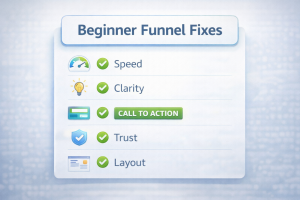
Every headline on your page is like a speed bump, it either keeps people moving forward or stops them cold. Each one should promise a result.
Instead of:
"Our Features"
Try:
"How This Tool Helps You Get More Leads in Less Time"
When in doubt, use this formula:
[Action verb] + [what they get] + [why it matters]
Example: "Discover the Checklist That Helps Beginners Convert Cold Traffic Fast"
And yep, now we’re talking about Internet Profit Success.
7. Include Micro-Commitments
What’s a micro-commitment? It’s a small, easy action that builds momentum. Think of it like a warm-up before a workout. You don’t go straight into sprinting, you ease into it.
Examples:
* A one-question quiz
* A "Yes/No" poll
* A slider that says "Where are you at right now?"
These little touches help visitors feel engaged and invested. They’re more likely to stick around and eventually take the big step (like signing up or grabbing your freebie).
8. Keep Testing. Don’t Assume Anything
One of the biggest myths in online business is that you only need to build a page once and it’s done. Nope. Optimization is ongoing.
Change your headline. Test a new CTA. Move a testimonial higher up. Try a shorter form.
Then track what happens.
If something performs better, keep it. If not, tweak it again. It’s not failure, it’s data. And over time, it leads to Internet Profit Success without needing more traffic.
Pulling It All Together: The Real Secret
Look, it’s easy to think the answer is "more traffic." More clicks, more eyeballs, more noise. But here’s the truth:
A fully optimized funnel or page converts better with the traffic you already have.
That means:
* Less money wasted on ads
* Less time posting on social media
* More results, faster
Every time you improve your load speed, clarify your copy, or strengthen your CTA, you make your funnel tighter. Stronger. More profitable.
And that’s how beginners go from guessing to growing. From spinning wheels to seeing results.
From stuck to Internet Profit Success.
Final Thoughts: You’ve Got This
Don’t overcomplicate things. You don’t need a $5,000 coach or a fancy tool to fix your funnel. What you need is awareness. Now that you know what to look for, you’re already ahead of the pack.
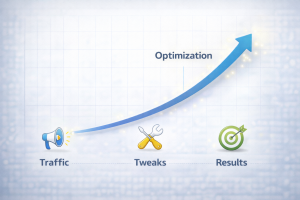
Focus on these optimization tips before you worry about traffic. Because when your system is solid, even a little traffic can go a long way.
And when that traffic hits a high-performing page, the magic happens. Leads flow in. Signups start rolling. You gain momentum.
It’s not about being perfect. It’s about progress. Keep tweaking, testing, and learning. That’s the real formula for Internet Profit Success.
When you pair these optimization tweaks with irresistible offers that speak to the reader’s needs, you’re stacking every advantage, get more tips in How to Create Irresistible Offers That Convert: Proven Strategies.
Now go fix those five things and watch what happens.
