
10 Content Planning Tools That Keep Beginners Consistent
Tools That Make Posting Easier
10 Content Planning Tools That Keep Beginners Consistent Without Burning Out
Consistency sounds cute in theory. In real life, though, it usually looks like this: you start the week full of energy, open six tabs, scribble three ideas on a sticky note, forget where you saved your draft, and then reward yourself with a totally necessary snack break that somehow turns into two episodes of something you did not plan to watch. In other words, the problem is often not laziness. More often, it is chaos.
That is exactly why content planning tools matter so much. They do not magically make you disciplined, brilliant, or wildly organized overnight. However, they do make it much easier to keep showing up, even when life gets busy, your brain gets foggy, or your motivation decides to go on vacation. Instead of relying on memory and good intentions, you build a system that keeps your content moving. If you are trying to build a rhythm without frying your brain, this guide to content creation without burnout is a smart next read.
For beginners, this matters even more. After all, when you are new, every task feels bigger than it really is. Writing a caption feels like climbing a mountain. Editing a short video feels like defusing a bomb. Picking what to post can somehow feel harder than the actual posting. Fortunately, the right mix of content planning tools, content creation tools for beginners, and social media scheduling tools can make the whole thing feel lighter.
So, in this guide, we are going deeper than a simple list. You will see how each tool fits into a real workflow, why it matters, where beginners often get stuck, and how to use it without turning your routine into a full-time science project. Because, frankly, Internet Profit Success does not come from doing everything at once. It comes from doing simple things consistently.
Why Content Planning Tools Matter More Than Motivation
Motivation is lovely when it shows up. Sadly, it is also flaky. One day you feel unstoppable, and the next day you stare at your screen like it personally offended you. That is why building around motivation alone rarely works. On the other hand, building around systems gives you something more dependable.
Content planning tools create structure. Instead of waking up and asking, what should I post today, you already know. Instead of losing ideas in random notes apps, half-finished captions, and mysterious screenshots, you keep everything in one place. As a result, your brain uses less energy trying to remember things and more energy actually creating.
In addition, these tools remove friction. That matters because friction is the sneaky villain behind inconsistency. If you have to hunt for your template, think up a topic, choose a platform, and then remember where you saved last week’s draft, chances are you will do none of it. Meanwhile, when your workflow is simple, content becomes easier to repeat.
The real win is not looking organized. It is becoming easier to publish regularly. That is where digital marketing tools for beginners really shine. They help you move from random effort to repeatable action, and that is where steady growth begins.

The Hidden Cost of Winging It Without Content Planning Tools
At first, winging it feels fun. It feels spontaneous, creative, and free. For a little while, it can even work. Then, however, the cracks start to show. You post three times in one day, vanish for five days, and then wonder why your momentum disappeared like a sock in the dryer.
Without content planning tools, your process usually becomes reactive. You only create when you feel pressure. Then you only post when you panic. You only plan after a week of silence. That cycle drains energy fast, and it makes content feel heavier than it needs to.
Another problem is duplication. Beginners often repeat the same idea because they cannot remember what they already posted. Meanwhile, other good ideas never get used because they are buried in a notebook, trapped in a voice note, or hiding in some app you forgot existed. In other words, the issue is not a lack of ideas. It is poor idea management. A lot of that chaos overlaps with the digital marketing mistakes beginners learn too late, especially when posting becomes reactive instead of planned.
Most importantly, winging it makes progress hard to measure. If everything is random, you cannot easily see what is working, what needs improvement, or where your time is going. As a result, frustration builds. So while improvising sounds creative, content planning tools are often what protect your energy, sharpen your focus, and keep your content rhythm from becoming a total mess.
How Content Planning Tools Reduce Beginner Overwhelm
Beginner overwhelm usually comes from trying to hold too many moving pieces in your head at once. You are thinking about hooks, captions, graphics, video clips, scheduling times, engagement, and whether your last post had a typo the size of a billboard. Naturally, that mental pile-up gets exhausting.
This is where content planning tools become your calm little command center. Instead of carrying everything mentally, you give each task a home. Ideas go in one place. Drafts go in another. Posting dates live on a calendar. Checklists keep you grounded. Suddenly, your brain is no longer playing five positions at once.
For example, imagine you wake up on Monday and already know your topic, your draft status, and the next small step. That feels very different from opening your laptop and starting from scratch. Likewise, if you know your graphics are stored neatly and your captions are organized, you avoid the dreaded digital scavenger hunt.
Moreover, content planning tools help you break big work into tiny chunks. Instead of saying, I need to make content today, you can say, today I am only writing hooks. Tomorrow I am creating graphics. Friday I am scheduling posts. That shift is huge. Smaller tasks feel more doable, and doable tasks are far more likely to get done. If idea generation is part of the problem, here is how to come up with content ideas when you feel stuck without staring at a blank screen for an hour.

Content Planning Tools Turn Random Effort Into Routine
Routine does not have to mean boring. In fact, a good routine gives you more freedom because it removes a thousand tiny decisions. Rather than deciding everything from scratch every day, you follow a simple rhythm that helps you stay visible without constant stress.
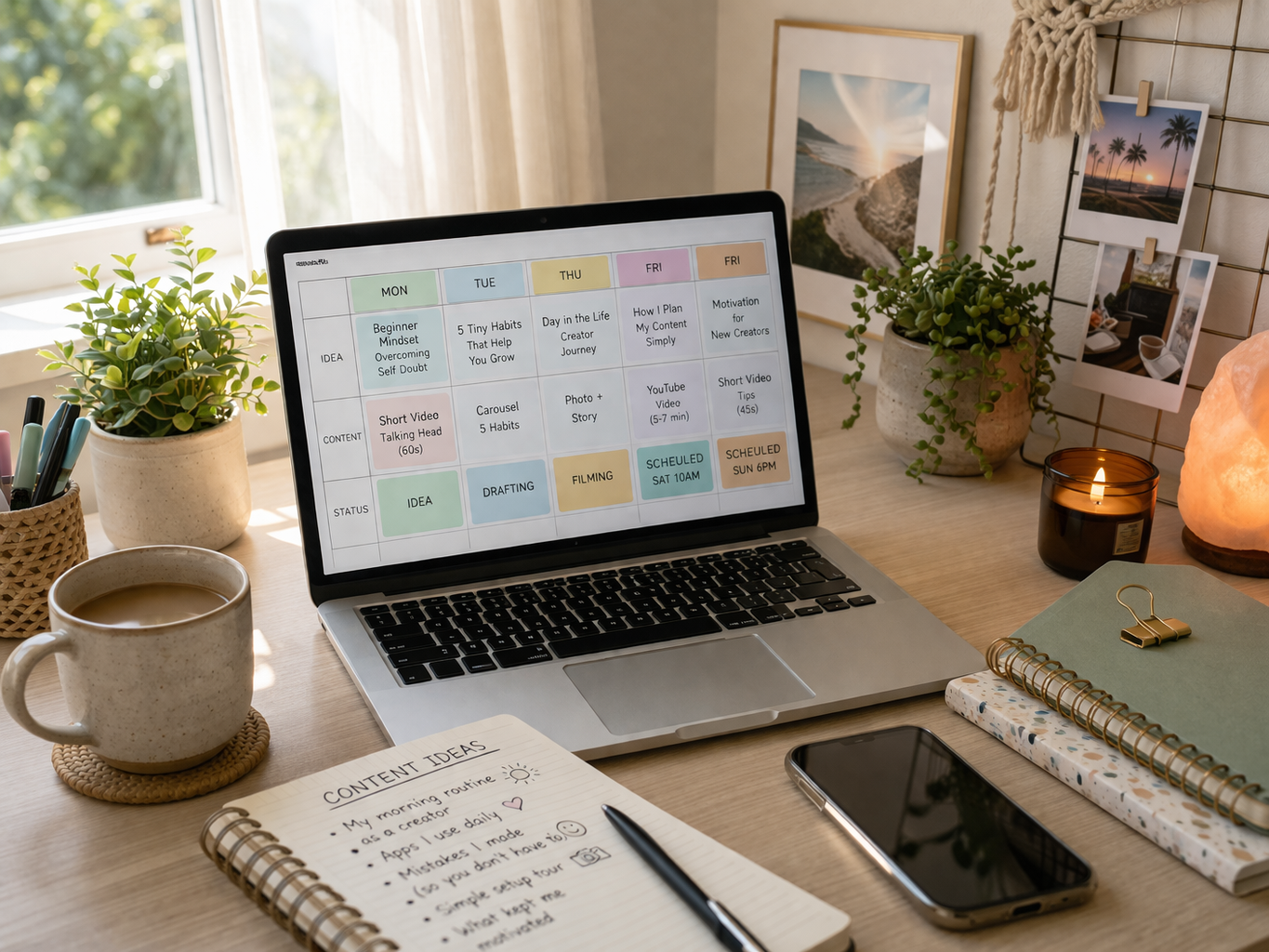
Content planning tools support that rhythm beautifully. Let us say Monday is idea day, Tuesday is drafting day, Wednesday is design day, Thursday is editing day, and Friday is scheduling day. That may sound basic, but basic is often brilliant. When each day has a job, your week feels less chaotic.
As a result, you spend less time wondering what to do next and more time actually doing it. This is especially useful for beginners because decision fatigue can sneak up fast. Meanwhile, routines help reduce that friction and make consistency feel more natural.
A routine also creates momentum. When you publish regularly, you stop treating content like a dramatic event and start treating it like a normal part of your work. That is a healthy shift. Suddenly, one missed day does not feel like the end of civilization. You just get back on track.
Ultimately, content planning tools support routines that are realistic, repeatable, and flexible enough for actual human life. And that matters, because the goal is not perfection. The goal is to keep moving without setting your brain on fire. Once the routine feels lighter, you can focus on how to improve your content instead of just rushing to get anything published.
The Best Content Planning Tools Start With One Home Base
Before you collect every shiny app on the internet, it helps to pick one home base. This is the place where your ideas, calendar, drafts, and workflow live. Think of it as your content headquarters. Without that home base, even the best content planning tools can feel scattered.
For some people, that base is Notion. For others, it is Trello. In some cases, it might even be Google Drive paired with a calendar. The exact tool matters less than the role it plays. You need one place that answers three simple questions. What am I creating, where is it in the process, and when will it go live?
That clarity is gold for beginners. Otherwise, it is easy to bounce between apps and feel busy while accomplishing almost nothing. One tab has ideas. Another has drafts. A third has images. A fourth has a calendar that may or may not be updated. At that point, you do not need more ambition. You need a better home base.
So, before anything else, choose the platform that feels easiest to maintain. Fancy is not required. Useful is. Once you have a central hub, the rest of your content planning tools can plug into it instead of floating around like loose socks in a laundry basket.
Notion as One of the Most Flexible Content Planning Tools
Notion is popular for a reason. It can function like a content dashboard, idea vault, writing space, checklist system, and planning calendar all in one. For beginners, that kind of flexibility can be incredibly useful, especially if you want your workflow under one roof.
A simple setup works best. Start with a board that includes ideas, drafting, ready to publish, and published. Then add a section for hooks, a place for post templates, and maybe a weekly calendar view. That is enough to feel organized without building a spaceship control panel.
One of the best things about Notion is that it can grow with you. At first, it might just hold ideas. Later, it can track performance, content themes, and repurposing plans. Meanwhile, you are not forced into a rigid system. You can shape it around the way your brain works.
For example, a beginner might keep a page called Quick Wins and drop in content prompts, easy post ideas, and simple call-to-action lines. On a tired day, that page becomes a lifesaver. Instead of freezing up, you just grab an idea and move forward.
Among content planning tools, Notion is especially strong if you like having everything connected. It keeps your planning tidy, your drafts accessible, and your weekly workflow much less dramatic.
Trello Makes Content Planning Tools Feel Visual and Simple
Some people do not want a giant all-in-one system. They want to see the work clearly, drag it from one stage to the next, and get that lovely little feeling of progress. If that sounds like you, Trello is one of the easiest content planning tools to start with.
Its board layout is simple and visual. You create columns such as ideas, writing, editing, scheduled, and published. Each content piece becomes a card. Then, as the work moves along, you drag the card forward. That tiny action feels surprisingly motivating. It is basically the digital version of crossing something off a list, which, let’s be honest, is weirdly satisfying.
Trello is especially useful for visual thinkers. Instead of staring at a huge blank document, you can see your whole content pipeline at a glance. Moreover, each card can hold checklists, notes, due dates, and links to related files. So, while it stays simple, it still has enough structure to be useful.
For beginners, that balance is ideal. You do not need a complicated system to get consistent. You just need a clear one. Trello helps turn vague plans into visible progress, and visible progress makes it easier to stay committed. Among digital marketing tools for beginners, it is one of the least intimidating and most practical.
Google Drive Supports Content Planning Tools Behind the Scenes
Google Drive is not always the glamorous star of the show, yet it quietly does a lot of heavy lifting. In fact, many content planning tools work better when Drive is the storage backbone behind them. It keeps your assets, drafts, templates, and random brilliant ideas from living in total disorder.
For example, you can create folders for captions, videos, thumbnails, graphics, templates, and evergreen ideas. Then, when it is time to create, you already know where everything is. That saves more time than people realize. After all, searching for files is not exactly a thrilling use of creative energy.
Drive also works well with content creation tools for beginners because it helps preserve reusable pieces. Maybe you have a carousel template that works well. Maybe you use the same content outline each week. Instead of rebuilding from scratch, you pull from your saved resources and move faster.
Another benefit is accessibility. Whether you are on a laptop, a different device, or borrowing five minutes in a coffee shop, your files are there. Meanwhile, sharing documents with a teammate, coach, or accountability buddy stays simple.
So while Google Drive may not feel flashy, it makes your workflow smoother. And smooth workflows are easier to repeat. That, in turn, supports the one thing beginners need most: less chaos and more consistency.
Canva Is One of the Smartest Content Creation Tools for Beginners
If design makes you sweat a little, Canva can feel like a lifeline. It removes a lot of the intimidation from visual content and helps beginners create graphics, carousels, covers, and simple short-form visuals without needing fancy design skills or a dramatic artistic meltdown.
The biggest time-saver is templates. Instead of staring at a blank canvas, you begin with a structure. Better still, when you create a few brand-friendly templates for recurring posts, your whole content process speeds up. That is why Canva works so well alongside content planning tools. Once your planning is done, Canva helps turn ideas into something publishable.
For example, you might create one quote post template, one tip carousel template, and one short promo visual. Then each week, you swap in fresh text and images while keeping the overall style consistent. As a result, your brand starts to look more polished without requiring hours of design work.
If your visuals still feel a bit homemade in the stressful sense, these ways to look more professional online pair beautifully with Canva.
In addition, Canva is one of the best content creation tools for beginners because it lowers the barrier to entry. You do not need to be a designer. You just need to keep things clear, readable, and on-brand. That is enough. Fancy often loses to simple anyway.
So if visual content has been slowing you down, Canva can shave hours off the process and help consistency feel a lot more manageable.
CapCut Helps Content Planning Tools Become Real Published Content
Planning is great. Publishing is better. That is where CapCut comes in. It helps bridge the gap between idea and finished short-form video, which is important because a lot of beginner content gets stuck in the planning stage and never sees daylight. Before you edit another short video, it helps to keep a few social media hooks that stop the scroll fast nearby so the finished post earns attention.
Internal-link markup:
CapCut is beginner-friendly enough to be useful without feeling watered down. You can trim clips, add captions, use simple transitions, and create videos that look clean without needing movie director energy. In other words, it helps you get the job done without turning editing into an all-day project.
This matters because video content can quickly become a consistency killer. Many people film something, then avoid editing because it feels like too much work. Meanwhile, CapCut helps reduce that resistance. If you save a few favorite presets, text styles, or clip sequences, your editing becomes much faster over time.
For example, you might use the same intro style, caption style, and ending screen in every video. That repetition builds brand consistency and saves mental energy. Plus, once you know your basic editing flow, the process becomes less intimidating.
Among content creation tools for beginners, CapCut is especially helpful because it makes video feel possible. And when video feels possible, you are more likely to keep posting. That is a big deal, especially if your audience connects well with short-form content.
Meta Business Suite and Other Social Media Scheduling Tools
Some days you feel productive. Other days life happens. That is exactly why social media scheduling tools are such a blessing. They help your content go out even when you are busy, distracted, tired, or simply not in the mood to press publish with great ceremony.
Meta Business Suite is handy if you focus on Facebook and Instagram. It lets you plan ahead, upload content, and keep your posting schedule moving. Instead of scrambling every day, you can batch a few posts and let them roll out across the week. That alone can reduce a lot of stress. Of course, planning ahead only helps if the post itself gives people a reason to stay, so this guide on how to get people to read your posts in a crowded feed is a natural companion.
Meanwhile, other social media scheduling tools can help if you post across multiple platforms. The big advantage is consistency. You are no longer relying on daily memory, last-minute inspiration, or a sudden burst of discipline at 9:48 p.m. Instead, your system keeps working quietly in the background.
For example, a beginner might spend Sunday afternoon scheduling three educational posts, one story-driven post, and one light engagement post for the week ahead. By Monday, the pressure is already lower. That changes how content feels.
Used properly, social media scheduling tools do not make your content robotic. They make your process less frantic. And that is a very different thing. Consistency becomes easier when you separate creation from publishing and stop trying to do everything on the same day.
Google Calendar Brings Content Planning Tools Into Real Life
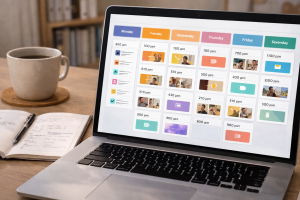
A content plan is only useful if it exists in real life, not just in your imagination where everything always goes perfectly and nobody ever gets interrupted. Google Calendar helps turn intention into actual time blocks, which is why it pairs so well with content planning tools. And if putting yourself out there still feels weird, here is how to show up online with confidence before you feel ready without waiting to feel magically fearless.
This is an important shift. Many beginners treat content as something they will do whenever they have time. Unfortunately, whenever usually means never. On the other hand, when you block out even 30 minutes for one clear task, content starts becoming part of your routine instead of a background wish.
For example, you might schedule Monday for brainstorming, Tuesday for writing, Wednesday for graphics, and Thursday for scheduling. Those blocks do not have to be huge. In fact, shorter sessions are often easier to stick with. The goal is not marathon work. The goal is reliable movement.
Google Calendar also helps prevent overloading your week. When you can see what is already on your plate, you make better decisions. Instead of promising yourself ten posts and then collapsing by Wednesday, you can build a schedule that is actually sustainable.
Among content planning tools, calendar tools are often underrated. Yet they are the bridge between planning and execution. They remind you that consistency is not just about what you want to do. It is also about when you have realistically decided to do it.
ChatGPT and Digital Marketing Tools for Beginners
Sometimes the hardest part of content is not creating it. It is starting it. That is where ChatGPT can be useful. It helps with brainstorming, organizing ideas, drafting hooks, rewriting awkward captions, and breaking through the dreaded blank-page stare.
For beginners, this can save a lot of energy. Instead of sitting there hoping inspiration floats down from the ceiling, you can use prompts to generate options. Then you shape those options into your own voice. In that sense, it works like a brainstorming partner rather than a magical replacement for your brain.
For example, you can ask for ten hook ideas on a topic, three ways to simplify a caption, or a rough outline for a beginner-friendly post. After that, you edit and personalize. That process is often much quicker than starting from absolute zero.
However, there is a small trap here. Some people use AI to produce too much generic content too fast. That can make everything sound bland. So the smarter move is to use it for speed, clarity, and structure while still adding your personality, examples, and opinions.
Among digital marketing tools for beginners, ChatGPT is powerful because it reduces creative friction. It helps you move faster without feeling so mentally stuck. And when creating feels easier, consistency usually improves too.
Buffer Keeps Content Planning Tools Moving Across Platforms
If your content shows up in more than one place, Buffer can make life simpler. It helps you schedule posts across platforms, manage a posting queue, and keep your workflow moving without constantly bouncing between apps like a caffeinated squirrel.
One of the best things about Buffer is how it supports a weekly rhythm. You can build a queue, drop new content into it, and maintain visibility while focusing on creation rather than daily publishing stress. For beginners, that can be a huge relief.
Let us say you create four posts in one session. Instead of manually posting each one on different days, you load them into Buffer and let the schedule handle the timing. That separation gives you breathing room. In addition, it makes it easier to spot gaps and maintain a balanced mix of content types.
Buffer also plays nicely with broader content planning tools. Your ideas may live in Notion, your graphics in Canva, and your calendar in Google Calendar. Then Buffer becomes the final handoff point before your content goes live. That kind of clean handoff makes your workflow feel much more professional.
Among social media scheduling tools, Buffer is a strong option because it supports consistency without requiring a giant learning curve. It helps you stay visible, and visibility matters. After all, you cannot build momentum if your audience only hears from you whenever Mercury is in the mood.
Todoist Proves Small Daily Actions Matter Most
Big goals are exciting. Tiny actions are what actually move the ball forward. That is why Todoist is so useful. It helps turn a fuzzy ambition like be more consistent into simple daily tasks that can actually be completed before lunch. Once your queue is full, use a few simple ways to increase social media engagement so your content starts more conversations instead of just occupying space.
This is important because consistency often breaks down at the daily level. People imagine huge content sessions, then get overwhelmed and do nothing. Meanwhile, small repeatable actions build momentum. Write one hook. Reply to comments for ten minutes. Draft one caption. Save three ideas. Those little wins stack up surprisingly fast.
Todoist makes that visible. You can create recurring tasks, simple checklists, and habit-style actions that keep your content moving even on low-energy days. For example, a beginner might set tasks like brainstorm for ten minutes, polish one draft, and schedule one post. That feels manageable. Manageable tasks get done.
Another quiet benefit is the psychological one. Checking off tasks gives you proof that you are progressing. That matters on the days when everything feels slow and invisible. In those moments, momentum can come from something very small.
So while Todoist may not look as glamorous as other content planning tools, it helps build the most valuable habit of all: showing up consistently, one tiny step at a time.
How to Build a Weekly Workflow With Content Planning Tools
A good weekly workflow does not try to do everything every day. Instead, it gives different tasks different homes. That keeps your energy steadier and your process easier to follow. Thankfully, content planning tools make this much simpler.
One effective approach starts with Monday for idea gathering. You open your home base, review saved prompts, and choose a handful of topics. Tuesday becomes writing day. On Wednesday, you create visuals in Canva or edit clips in CapCut. Thursday is for scheduling through Buffer or Meta Business Suite. Then Friday can be used for review, light engagement, and organizing next week’s ideas.
This kind of rhythm works because each day feels focused. Rather than juggling every task at once, you handle one category at a time. As a result, your brain stays less cluttered. In addition, the work becomes easier to repeat because each step is familiar.
Of course, you can adjust the flow. Some people prefer batching everything in one afternoon. Others do better with short daily blocks. The exact shape matters less than the consistency of the pattern. As your system gets steadier, you can also learn how to stand out on social media with a small audience instead of assuming visibility only belongs to bigger creators.
The beauty of content planning tools is that they support whatever rhythm you can actually sustain. And that is the secret. Sustainable beats impressive every single time.
Common Mistakes Beginners Make With Content Planning Tools
Oddly enough, content planning tools can create problems if you use them the wrong way. The biggest mistake is overbuilding. A beginner downloads five apps, creates twelve folders, color-codes sixteen categories, and then never posts a thing. That is not planning. That is productive-looking procrastination wearing a little fake mustache.
Another common mistake is using too many tools at once. If your ideas are in one app, your drafts in another, your checklist somewhere else, and your publishing calendar on a sticky note, you have recreated chaos in digital form. Simpler usually wins.
Some beginners also forget to review their system. They collect content ideas but never return to them. They create templates but never reuse them. Meanwhile, the system slowly turns into a storage closet instead of a workflow. That is why weekly review time matters. Even ten minutes helps.
There is also the trap of perfection. People wait until their dashboard looks beautiful before using it. However, useful beats pretty. An ugly system that helps you publish is far better than a gorgeous system that never leaves the planning stage. If you want a deeper companion piece here, start with these content mistakes to avoid before your audience tunes out.
So yes, content planning tools are powerful. Still, the real goal is not building the ultimate setup. It is creating a simple system you will actually use when your week gets busy and your energy gets weird.
A 30-Day Starter Plan for Content Planning Tools
If you are just getting started, the smartest move is to keep things ridiculously simple. During week one, pick your home base. That might be Notion, Trello, or even Google Drive with a basic folder system. Next, create one place for ideas, one place for drafts, and one simple publishing calendar.
During week two, build three reusable assets. Maybe that is one caption template, one carousel design in Canva, and one checklist for publishing. These small pieces save time immediately and reduce the pressure of creating from scratch every single time.
By week three, introduce social media scheduling tools. Plan just three posts for the coming week. Not ten. Not fourteen. Three. The goal is to prove to yourself that consistency is possible, not to win an imaginary productivity Olympics.
Then, in week four, add a review habit. Look at what you created, what got published, what felt easy, and what slowed you down. Tweak one thing. Maybe your calendar needs shorter work blocks. Maybe your file names are a mess. Maybe you need a better idea capture habit.
This kind of steady setup creates real traction. It may not feel flashy, yet it is exactly how content planning tools start building long-term momentum. Small, clear steps beat dramatic overhauls nearly every time.

Content Planning Tools Make Internet Profit Success More Realistic
Internet Profit Success sounds like one of those huge shiny outcomes people chase with wild intensity for about nine days. However, real progress usually looks much less dramatic. It looks like writing when you said you would write. It looks like posting when you planned to post, and it looks like keeping your process simple enough that you can repeat it next week.
That is why content planning tools matter so much. They make consistency realistic. They help beginners stay organized, reduce overwhelm, and create more without feeling buried. Meanwhile, content creation tools for beginners lower the barrier to getting started, and social media scheduling tools help your work go live without constant last-minute stress.
You do not need every app. Nor do need a perfect system. You definitely do not need to become one of those people who says workflow optimization at parties. You just need a few tools that support your routine, your energy, and your actual life.
So start small. Pick a home base. Create a weekly rhythm. Save reusable pieces. Schedule ahead when you can. Then keep showing up. Little by little, those ordinary actions build something powerful. And that, more than any burst of motivation, is what helps beginners stay consistent long enough to grow.
